

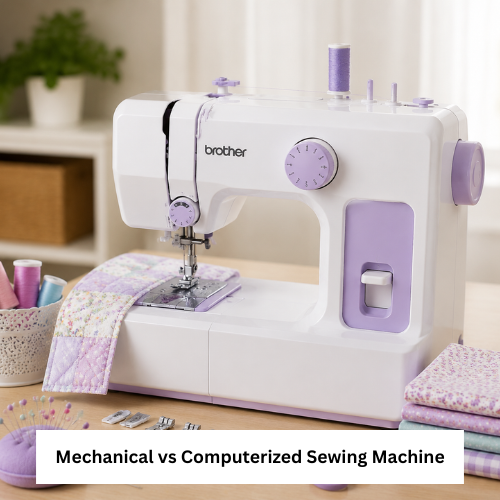
A computerized sewing machine can offer digital controls, more stitch settings, and convenient features, while a mechanical model usually keeps controls simple and direct. Before choosing, buyers should compare project type, skill level, setup comfort, maintenance needs, fabric plans, budget, and support options.
Some beginners prefer simple knobs and fewer settings. Other home sewers, quilters, embroidery users, and small business owners may want more stitch choices, button controls, or automatic features.
Buyers can review computerized vs mechanical sewing machine guidance when comparing digital and manual control styles before buying.
Mechanical Sewing Machine Basics
A mechanical sewing machine usually uses manual dials, knobs, and levers. It can be a practical choice for basic sewing, hemming, repairs, and simple home projects.
A mechanical sewing machine may suit buyers who want fewer controls, easier learning, and a more traditional sewing experience.
Mechanical models can still handle many common projects, but buyers should verify stitch options, tension control, buttonhole features, presser foot compatibility, and fabric guidance before ordering.
Computerized Sewing Machine Features to Check
When comparing a computerized sewing machine, look at the screen, button layout, stitch menu, speed control, needle position settings, and ease of selecting stitches.
A Brother computerized sewing machine can be reviewed when buyers want to compare a product-style option with digital controls and built-in stitch choices.
Computerized models may include more features, but they can also require more comfort with menus, buttons, screens, and electronic controls. If the manual is unclear, verify before buying.
| Buyer Need | Mechanical Machine | Computerized Machine | What to Verify |
| Basic repairs | Simple and practical | Also possible | Stitch options and ease of use |
| Beginner learning | Good for simple controls | Good if menus are clear | Manual quality and setup steps |
| Quilting | May be limited by features | Often offers more settings | Throat space, feet, stitch options |
| Decorative stitching | Limited options | Usually more stitch choices | Built-in stitches and settings |
| Heavy fabrics | Depends on model | Depends on model | Needle, motor, and fabric guidance |
| Maintenance comfort | Often simpler | May need electronic care | Support, warranty, and parts |
Stitch Settings and Project Needs
Stitch settings matter because different projects need different stitch types. Straight stitch and zigzag stitch are helpful for many beginners, while decorative stitching, buttonholes, and specialty stitches may support advanced work.
A stitch options page can help buyers compare stitch-related product choices before deciding how many settings they actually need.
Do not choose a digital sewing machine only because it has many stitches. Make sure the controls are easy enough for your skill level.
Setup and Learning Curve
A mechanical machine may feel easier if you like direct controls. A computerized model may feel easier if the screen and button labels are clear.
Before buying either type, check:
- Threading steps
- Bobbin style
- Stitch selection method
- Foot pedal control
- Speed adjustment
- Needle position options
- Manual clarity
- Accessory compatibility
- Return policy
A beginner sewing machine should feel easy to start, not stressful to understand.
Maintenance and Repair Considerations
Mechanical machines may be easier for some users to understand because many controls are manual. Computerized machines may include electronic parts, screens, and programmed settings that require careful handling.
For both types, clean lint, change needles, use compatible bobbins, protect the power cord, and follow the manual. If oiling is required, use only the recommended method.
If a computerized sewing machine screen, buttons, or stitch selection stops working, check the manual and support options before attempting repairs.
Compatibility With Accessories and Parts
Presser feet, bobbins, needles, extension tables, carrying cases, and power cords may vary by machine type and model. Do not assume accessories fit every machine.
A sewing machine guide can help buyers compare machine types, accessories, and practical setup questions before choosing.
Buyers should also check replacement part availability, warranty details, delivery support, and return policy before ordering.
Common Buying Mistakes
Avoid these mistakes when comparing mechanical and computerized machines:
- Buying only for stitch count
- Ignoring setup difficulty
- Not checking fabric suitability
- Forgetting accessory compatibility
- Choosing a screen-based model without checking manual clarity
- Assuming mechanical means low quality
- Assuming computerized means better for every user
- Not checking warranty, returns, and support
A computerized sewing machine can be helpful, but only if the features match your real projects and comfort level.
Troubleshooting Points
Machine skips stitches
Check needle type, fabric thickness, threading, tension, and bobbin placement.
Digital stitch setting does not respond
Check power, reset guidance, button instructions, and manual troubleshooting steps.
Mechanical dial feels stiff
Do not force it. Check the manual and inspect whether thread, lint, or settings are causing resistance.
Fabric puckers
Adjust tension slowly, use the correct needle, and test stitches on scrap fabric first.
Practical Buying Checklist
Before choosing, check:
- Mechanical or computerized control preference
- Project type
- Stitch settings
- Speed control
- Screen and button clarity
- Threading and bobbin setup
- Fabric compatibility
- Presser foot compatibility
- Machine size and weight
- Table space
- Cleaning and maintenance needs
- Replacement parts
- Warranty or support details
- Return policy
- Delivery details
- Verify before buying if specifications are unclear
Conclusion
A computerized sewing machine is a good choice for buyers who want digital controls, more stitch settings, and extra convenience, but a mechanical sewing machine may be better for simple controls and basic projects. Choose the option that fits your skill level, projects, maintenance comfort, and support needs.
FAQ
Is a computerized sewing machine good for beginners?
Yes, if the controls are clear and the manual is easy to follow. Some beginners may still prefer mechanical controls.
Is a mechanical sewing machine easier to use?
It can be easier for users who prefer knobs, dials, and fewer settings.
Do computerized machines sew better?
Not always. Sewing quality depends on machine build, setup, fabric, needle, thread, and user handling.
What should I check before buying?
Check stitch settings, controls, threading, bobbin style, accessories, warranty, return policy, and support.
Which machine is better for quilting? A computerized model may offer helpful stitch settings, but buyers should also verify space, feet, and fabric guidance.
