

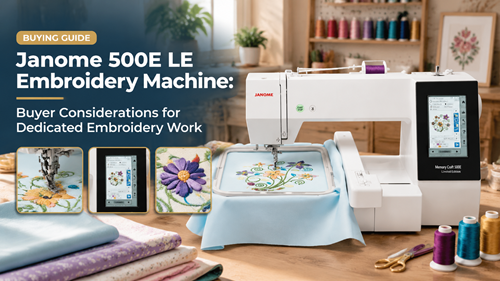
The Janome 500E LE Embroidery Machine should be judged by the work it will do in a real sewing or embroidery space, not by a feature list alone. This guide is written for experienced crafters comparing dedicated embroidery equipment for regular project work. It focuses on project fit, setup, workflow, material handling, repeatability, and the practical checks that prevent a machine from becoming an expensive mismatch. Janome lists the Memory Craft 500E Limited Edition with a maximum embroidery size of 7.9 x 11 inches, 160 built-in designs, six monogramming fonts, USB design transfer, a color touchscreen and multiple included hoops. The larger field is valuable only when the workspace and project pipeline make use of it.
How To Evaluate The Janome 500E LE Embroidery Machine
Start with the project list rather than the machine label. Write down the fabrics, finished sizes, seam or embroidery demands, accessories, and weekly volume you expect during the next six months. A model can be excellent in its intended role and still be the wrong purchase when the real work falls outside that role.
Janome lists the Memory Craft 500E Limited Edition with a maximum embroidery size of 7.9 x 11 inches, 160 built-in designs, six monogramming fonts, USB design transfer, a color touchscreen and multiple included hoops. The larger field is valuable only when the workspace and project pipeline make use of it.
Use this 500E LE embroidery planning as a practical reference point, then compare it with the exact material, hoop, seam or workstation demands of your own projects.
A useful second check is Janome dedicated embroidery workflow because it helps place the machine inside a broader workflow rather than treating one product page as the entire buying decision.
Features And Setup That Matter In Real Use
Buy the Field Size for Your Real Design Library
A larger hoop is useful when your typical designs genuinely need the space. Review the finished dimensions of your current designs before paying for capacity that may sit unused.
Plan Around Multiple Hoop Sizes
Different projects are easier in different hoops. Organize templates, stabilizer cuts and placement guides by hoop so setup remains efficient instead of defaulting to the largest frame every time.
Build a USB File Workflow That Prevents Mix-Ups
Use one folder for final machine-ready files and keep source artwork elsewhere. Include finished dimensions or hoop size in the file name so large-project revisions remain clear.
Protect the Workspace from Project Congestion
Large hoops and decor pieces need support around the machine. A wide clear table and nearby preparation surface reduce drag and accidental hoop movement.
Build A Repeatable Workflow Before You Buy
Plan large craft project preparation around a real sample instead of a showroom demonstration. Measure or mark the critical dimensions first and keep a written record of the setup that produced the best result.
For embroidery workspace organization choose two or three representative projects and run them from preparation through finishing. The goal is to discover where setup time, workspace, feeding, hooping or file handling slows the process.
Keep a small reference notebook or digital note for successful combinations of needle, thread, foot or hoop, stabilizer, tension, stitch settings, and placement measurements. Repeating a known setup is faster and more reliable than rediscovering it for every project.
Run A Practical Test Before Committing
- List the ten largest embroidery designs you actually expect to stitch.
- Match each design to an included hoop before judging field-size value.
- Prepare a realistic large blank and support it on the table without pulling the hoop.
- Import a final USB file and verify size, orientation and color sequence.
- Stitch a sample with the intended stabilizer and thread combination.
- Record hoop, stabilizer, speed and placement notes for repeat production.
A good test should be difficult enough to reveal the machine’s limits but representative enough to matter. Do not base the decision on a demo material, speed setting, or design that is easier than the projects you plan to make at home or in a small business.
Project Fit At A Glance
| Project Or Use | Fit | What To Check |
|---|---|---|
| Large monogram | Strong fit | Plan letter spacing |
| Decor panel | Strong fit | Support project weight |
| Small patch | Possible | Use an appropriately sized hoop |
| Occasional embroidery only | Potential overbuy | Compare workflow value first |
Turn The Feature List Into A Buyer Checklist
Use a machine embroidery purchase factors that covers the exact bundle, accessories, consumables, workspace, support, and material or design limits you will depend on after purchase.
Your Janome 500E project matching should also include storage, cleanup, repeat setup, and the time needed to prepare the next project. A machine that fits the whole routine is more valuable than one that only performs well during a short demo.
Compare the current seller listing with the manufacturer information before payment. Packages, included feet, hoops, software, tables, motors, colors, and accessories can change, so the model name alone is not enough to prove that two listings are identical.
Common Buying And Setup Mistakes
- Buying only for maximum hoop size
- Using the largest hoop for every project
- Letting large blanks drag on the hoop
- Mixing source files with machine-ready files
- Ignoring the table space needed around the machine
When a test result is disappointing, change one variable at a time. Re-thread, verify the needle or design file, confirm the foot or hoop, and repeat the same sample. That approach separates a setup problem from a true machine limitation.
Verify The Current Manufacturer Information
Before ordering, review the manufacturer information for Janome 500E LE Embroidery Machine. Use the current manual and support material as the final authority for specifications, compatible accessories, setup steps, safety, maintenance, and any model-specific limitations.
Choose The Janome 500E LE Embroidery Machine For The Work You Actually Do
The Janome 500E LE Embroidery Machine makes the most sense when its strongest workflow aligns with larger monograms, home decor panels, garment embellishment, personalized gifts, regular embroidery batches, and experienced hobbyists who want a dedicated larger-field station. A careful buyer should be able to describe the first several projects, the workspace, the accessories or files required, and the hardest realistic test before clicking buy.
Use that test-first approach and the Janome 500E LE Embroidery Machine becomes easier to evaluate on practical evidence rather than marketing language. The best choice is the machine that produces repeatable results with a setup you are willing to use every week.
Frequently Asked Questions
What is the maximum embroidery size of the Janome 500E LE?
Janome lists a maximum embroidery size of 7.9 x 11 inches.
How many built-in designs are listed?
Janome lists 160 built-in embroidery designs and six monogramming fonts.
Can designs be transferred by USB?
Yes, Janome lists USB design transfer for the 500E family.
Is the 500E LE a sewing-and-embroidery combo?
No. It is a dedicated embroidery machine, so construction sewing requires a separate machine.
Who gets the most value from the larger field?
Crafters who regularly stitch larger designs, decor pieces or repeated personalized work benefit more than users who mostly make small 4 x 4 motifs.
