

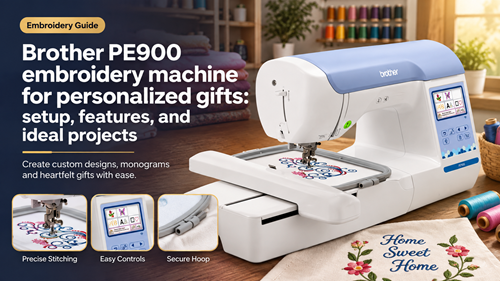
The Brother PE900 embroidery machine is a strong fit for home embroiderers who want to turn personalized gifts into a repeatable side-business workflow. Its value is not just the size of the design library; the bigger question is how easily you can move a design from idea to hoop, place it accurately, stitch it cleanly, and repeat the result on the next order. This guide focuses on setup, project planning, wireless transfer, lettering, hoop use, and the practical decisions that matter when you are making monograms, towels, shirts, bags, keepsakes, and small-batch gifts.
How To Evaluate The Brother PE900 Embroidery Machine
Start with the finished products you expect to sell most often. A 5×7 embroidery field gives more room than a 4×4 machine for names, stacked monograms, towel designs, medium chest logos, and decorative motifs, but the useful area still has to match the real design dimensions. Measure the item, mark the center, and decide whether the design should be stitched in one hooping before promising a size to a customer.
A home-business machine also needs a predictable handoff between computer, mobile workflow, machine screen, and finished sample. Brother lists the PE900 with a 5×7 maximum embroidery area, wireless LAN, on-screen editing, built-in designs, and built-in fonts. Those features are most valuable when they remove repeated setup work rather than encouraging you to add unnecessary design complexity to every order.
Features And Setup That Matter In Real Use
Build A Reliable First-Day Setup
Level the machine on a firm table, leave enough room for the embroidery arm to move freely, wind or prepare bobbins before the first customer job, and test the upper thread path with the same thread brand you plan to use regularly. Save a small sample fabric for tension checks so you can diagnose a change before stitching on a finished item.
Plan Hoop Size Before Editing The Design
Choose the hoop based on the actual stitch field, not just the visual size of the blank. A design that technically fits may still be awkward if the seam, pocket, zipper, cuff, or bag edge blocks the hoop. For personalized gifts, it is usually faster to simplify placement than to force a difficult hooping that risks distortion.
Use Lettering As A Production Tool
Lettering should be treated as a production variable. Test small names on the same fabric and stabilizer combination, watch narrow satin columns for puckering, and keep a record of letter height, density, and thread that produced the cleanest result. That record makes repeat orders far easier to match.
Create A Repeatable Order File System
Use customer initials, item type, design version, thread color, and date in the project name. Keep the original design separate from the machine-ready version. When you revise size or placement, save a new version instead of overwriting the file that produced an approved sample.
Build A Workflow Around The Project, Not The Marketing Label
A practical PE900 wireless design transfer routine starts with one approved folder on your computer or device. Transfer only the final machine-ready file, then confirm the design name and preview on the machine before hooping. This keeps old revisions from being stitched by mistake when several customer orders look similar.
For PE900 5×7 hoop projects, make a physical placement template before you stitch. Mark the design center and top orientation, place the template on the towel, shirt, tote, or gift blank, and check that the hoop can sit flat without catching a seam. That small step prevents many alignment errors.
Use the PE900 lettering functions to keep names readable rather than simply making them as small as possible. Wider satin columns and clean spacing usually stitch more reliably than compressed lettering, especially on textured towels or knits where the fabric can swallow fine details.
A consistent PE900 custom monogram workflow should include an approval image, thread-color note, placement measurement, stabilizer choice, and a saved final file. When a customer reorders, these details let you reproduce the look without rebuilding the job from memory.
Before buying or downloading a design, verify PE900 embroidery file compatibility against the machine and the design source. Brother support documents common embroidery formats for compatible machines; checking the format and field size before editing is safer than assuming every downloaded file will load correctly.
For PE900 home business projects, choose blanks that can be hooped consistently and restocked easily. Towels, flat totes, simple patches, napkins, baby items, and selected apparel are easier to standardize than products with bulky seams or difficult access. Standardization protects both your stitching time and your pricing.
Run A Sample Gift Order Before Selling
- Choose one realistic product, such as a towel or tote, and record the blank size and placement target.
- Prepare the exact stabilizer, needle, bobbin, and thread combination you would use for a customer order.
- Transfer the final design, verify the preview, and confirm that it fits the intended embroidery field.
- Hoop using measured center marks instead of estimating by eye.
- Stitch the sample from start to finish while timing setup, thread changes, trimming, and cleanup.
- Wash or handle-test the sample when appropriate, then save the settings and final file as your reference.
Gift Projects And What To Check First
| Project | Main Setup Priority | Common Risk |
|---|---|---|
| Monogram towel | Stable hooping and topping | Letters sink into texture |
| Tote bag | Flat access and placement | Seam blocks hoop movement |
| Shirt chest design | Accurate center and stabilizer | Stretching or puckering |
| Patch | Clean border and density | Edge distortion |
| Keepsake cloth | Thread contrast and backing | Fine details disappear |
Common Mistakes That Reduce Results
- Accepting a design before confirming the 5×7 field
- Using the same stabilizer for every blank
- Changing fonts without testing small lettering
- Sending multiple file revisions to the machine
- Pricing only by stitch time and ignoring setup
Treat every failed sample as production information. Note what changed, correct one variable at a time, and keep the successful combination. That process is more useful for a small business than relying on a long list of settings that were never tested on your actual blanks.
Check Manufacturer Guidance Before Final Setup
Brother’s official PE900 product information lists the machine’s 5×7 embroidery area, wireless capability, built-in design and font options, and on-screen editing features. Use the manufacturer page and manual as the final reference for supported functions and operating limits.
Use The Brother PE900 Embroidery Machine As A Repeatable Gift Workflow
The Brother PE900 embroidery machine makes the most sense when you build a system around it. A clean sample, saved placement measurements, stable hooping, correct files, and documented thread choices turn personalization from trial-and-error into repeatable production.
If your goal is a side business, start with a small menu of products you can hoop confidently and deliver consistently. Expand only after the first group of blanks is predictable. That approach gives the Brother PE900 embroidery machine a clear job in your workspace instead of turning every order into a new experiment.
Frequently Asked Questions
Is the Brother PE900 suitable for a small gift business?
Yes, it can suit a home-based personalized gift workflow when the 5×7 field matches your products and you standardize hooping, files, stabilizers, and pricing.
Can the PE900 sew regular construction seams?
No. The PE900 is an embroidery-only machine, so garment construction and normal sewing require a separate sewing machine.
What types of gifts are easiest to start with?
Flat items such as towels, napkins, selected totes, patches, and simple apparel placements are easier to standardize than bulky or hard-to-hoop products.
Should every downloaded design be stitched immediately?
No. Confirm the file format, design dimensions, stitch density, and preview first, then make a test stitch when the blank is valuable or unfamiliar.
How do I make repeat monograms consistent?
Save the approved file, font size, thread colors, stabilizer, hoop, and placement measurements so the next order follows the same setup.
